- Published on
Introducing the Pancake CRM API — Position in the Pancake Ecosystem, api_key Setup, Endpoint Overview
- Published on

- Name
- Định Phan - netFull
Introducing the Pancake CRM API — Position in the Pancake Ecosystem, api_key Setup, Endpoint Overview
TL;DR: Pancake CRM is one product within the Pancake ecosystem — alongside Pancake's multi-channel chat (managing FB/IG/Zalo conversations), the CRM serves a completely different domain: sales pipeline + customer management. Base URL
https://crm.pancake.vn/api, authenticated byapi_keypassed as a query param (NOT a Bearer header, NOT the chat product'spage_access_token). Multi-tenant by workspace. Provides 6 endpoint groups: Records (lead/account/contact), Orders, Tickets, Sources, Tags (CRM-scoped), and Webhook for realtimerecordevents. This is the first pillar of the Pancake CRM cluster — later posts will dive into each endpoint in depth.
The Pancake ecosystem includes multiple specialized products for different business operations — multi-channel chat (Pancake chat — see the 6-post API cluster), Pancake POS, Pancake CRM, and others. Each product has its own API + token but shares the "page/workspace + admin dashboard" concept.
This article opens a new pillar on Pancake CRM — a product whose functionality is completely different from chat (entities are lead/contact/order/ticket instead of conversation/message). Many developers integrating Pancake for the first time conflate the two products and end up calling the wrong endpoints with the wrong token. This guide draws a clear line and walks through the first connection.
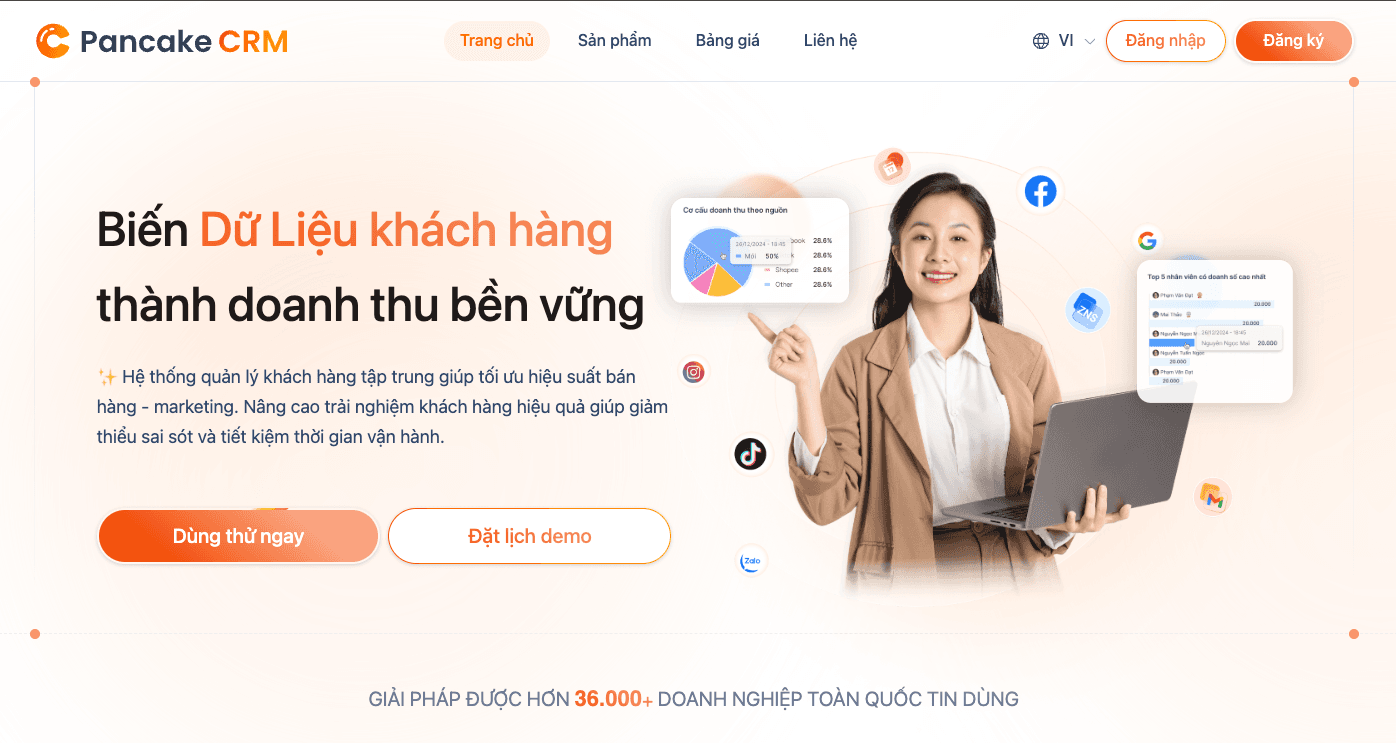
1. Where the CRM sits in the Pancake ecosystem
Pancake isn't a single product — it's a suite for running shops/businesses, where each product is separated by data and API:
| Product | Core function | API endpoint | Article |
|---|---|---|---|
| Pancake (multi-channel chat) | Manage chat from FB Messenger, Instagram, Zalo, Web chat — tagging, staff assignment, replies | pages.fm/api/public_api/v1 (or /v2) | 6-post cluster |
| Pancake CRM | Sales pipeline + customer DB — lead/account/contact/order/ticket, attribution, revenue reports | crm.pancake.vn/api | This post (pillar) |
| Pancake POS | In-store sales + inventory sync | (separate API) | Coming later |
This article focuses on CRM — a product whose function and data model are completely different from chat:
| Criterion | Pancake (chat) | Pancake CRM |
|---|---|---|
| Focus | Realtime conversations with customers across many channels | Sales funnel + 360° customer view |
| Core entity | conversation, customer, message, page | lead, account, contact, order, ticket |
| Auth | page_access_token (per-page) | api_key (per-workspace) |
| Base URL | pages.fm/api/public_api/v1 or /v2 | crm.pancake.vn/api |
| Auth location | Query param ?page_access_token=... | Query param ?api_key=... |
| Organizational concept | 1 page = 1 FB fanpage | 1 workspace = 1 internal team |
| Webhook event | new_message, conversation_updated... | record (CRUD record change) |
| Official docs | developer.pancake.biz | crm.pancake.vn/developers |
Which product should you use?
- Pancake chat only — small shops that just need to reply to customer chats, no complex sales pipeline yet
- Pancake CRM only — B2B sales teams working with leads/deals/orders, no direct chat flow with customers
- Both together — the most common setup for Vietnamese shops: Pancake chat handles realtime conversations, CRM tracks orders + lead funnel + reports. You can build a custom integration pushing chat data → CRM (there will be a dedicated tutorial in this cluster).
TIP
If you're already familiar with the Pancake chat cluster (see the introduction post and the webhook + reply guide), the CRM API patterns are very similar in design (REST, query-param auth, async webhook). Only the entities, base URL, and token differ. Learning one cluster makes ramping up the other much faster — that's the ecosystem benefit.
2. Pancake CRM key features
Before diving into the API, understanding what the product does helps you map endpoints to real-world use cases:
2.1. Centralizing multi-channel customer data
Pancake CRM collects leads from Facebook, Instagram, Zalo, TikTok, Website, Shopee, Google Ads... into a single platform. Each lead/contact has a pipeline status (New lead → Contacting → Nurturing → Closed deal), with source attribution, tags, and priority so the sales team can follow up in the right order.
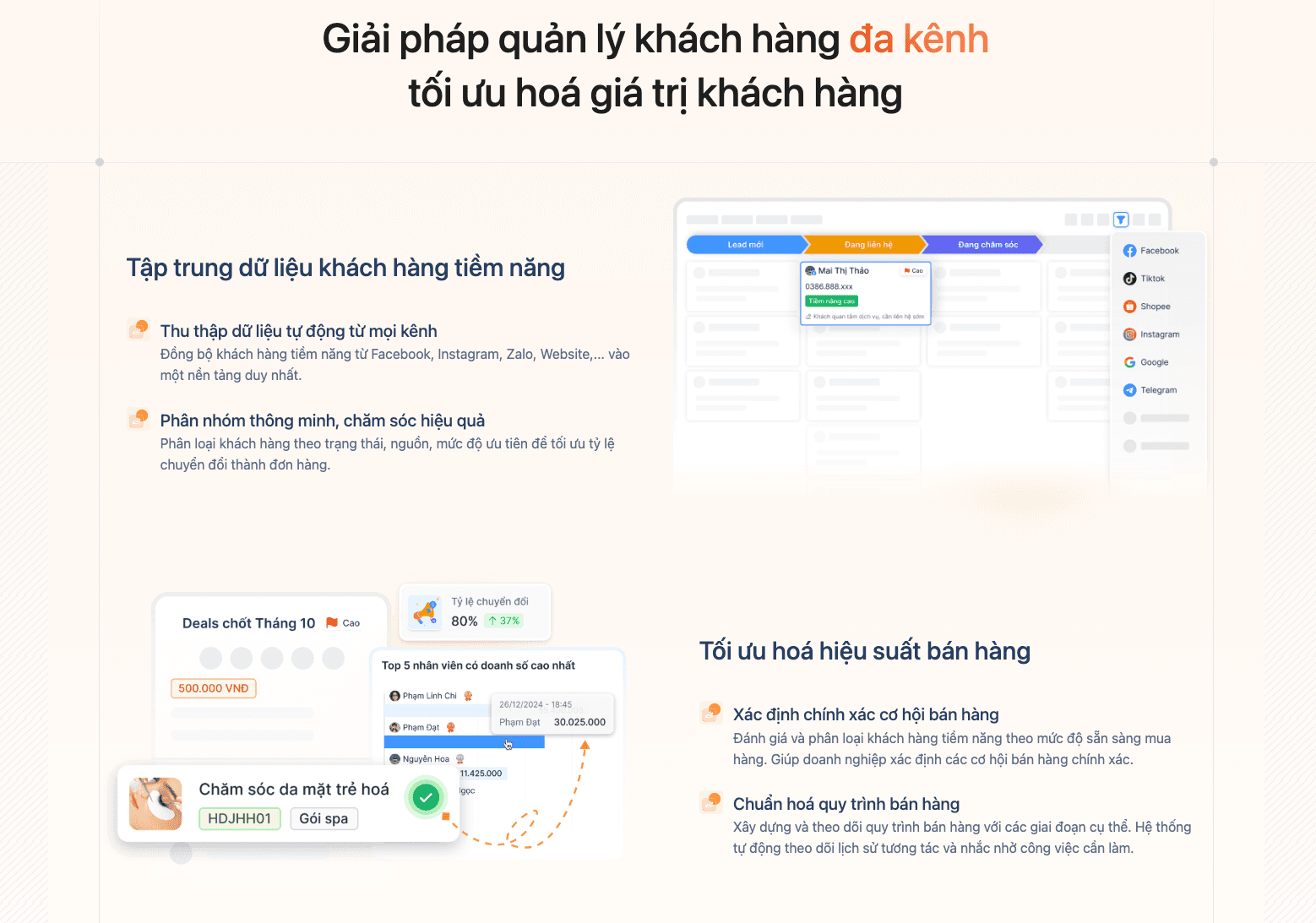
→ Related APIs: Records (lead/account/contact), Sources (channel attribution), Tags (categorization). The Records CRUD post will dive deeper into the pattern of syncing leads from landing page forms into CRM.
2.2. Care automation + Conversion API for ads
The CRM has no-code workflow automation in the dashboard: triggers when a customer takes an action → automatically sends email/SMS/ZNS/staff notification. It also includes Conversion API to push conversion events from CRM back to Facebook/TikTok Ads → optimize cost-per-conversion (lower ad spend).
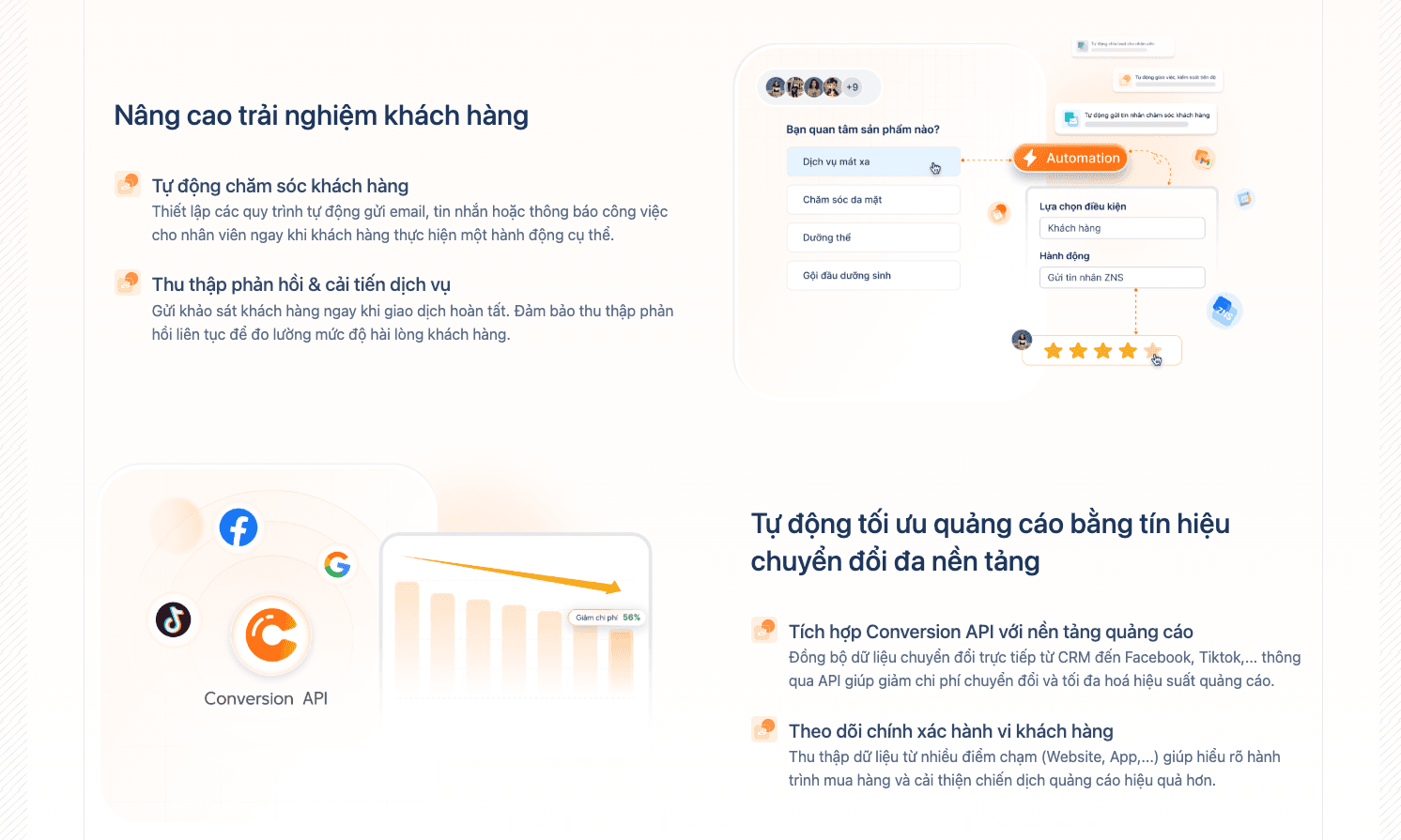
→ Related APIs: Webhook (triggering on record change events), Records (reading state to fire automation). Note: the no-code automation dashboard is not fully exposed via API — only the event triggers are.
2.3. Fits multiple industries
Pancake CRM is used across many verticals: Real estate (viewing-appointment management), E-commerce (purchase history, personalized offers), Healthcare (reducing patient no-show rates), Travel (booking lifecycle + post-tour care).
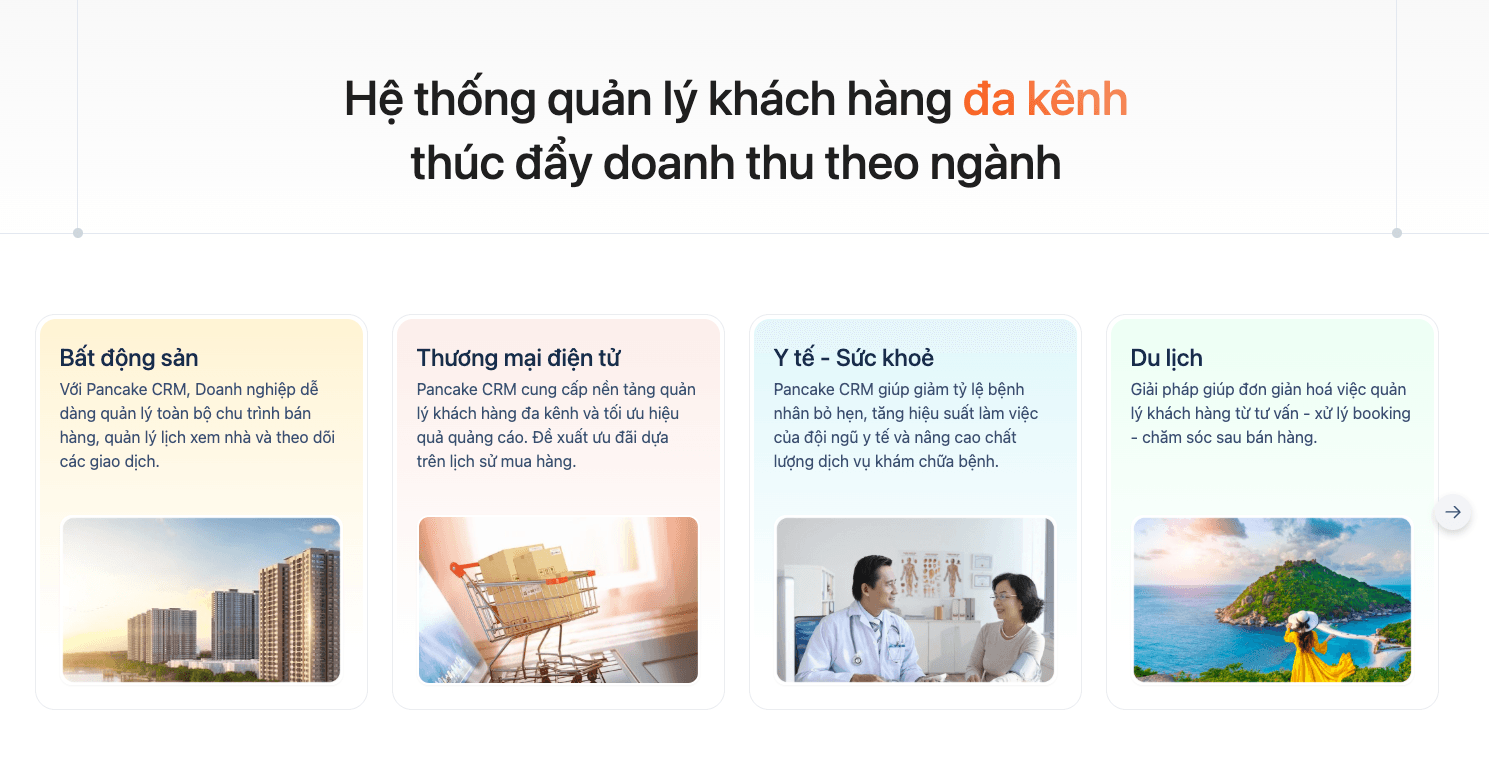
→ Related APIs: Orders (orders / bookings), Tickets (care tasks / callbacks), Records (customer info storage).
TIP
If your shop isn't sure where to start, sign up for the CRM dashboard trial first → grasp the entity mental model (lead vs contact vs account) → then integrate via API. Building an API pipeline without understanding the Pancake CRM UX often leads to a schema that drifts from how users actually work.
3. Workspace — Pancake CRM's multi-tenant concept
Unlike Pancake chat (1 token = 1 fanpage), Pancake CRM is organized by workspace:
- Workspace = 1 isolation unit. Each workspace has its own: users, records, orders, tickets, tags, settings, api_key.
- 1 user can be invited to multiple workspaces with different roles (admin / member).
- All endpoint URLs follow the pattern
/workspaces/{workspace_id}/{resource}/...→workspace_idis a required path param.
Real-world example:
- Company ABC has 1 workspace for the VN sales team and 1 separate workspace for an overseas branch
- Each workspace has its own lead pipeline + order pipeline
- Reports don't cross between workspaces
Finding workspace_id: open the CRM dashboard → the URL bar shows crm.pancake.vn/workspaces/{workspace_id}/... — copy that ID.
4. Generating the api_key
api_key is a per-workspace auth key. How to generate one:
- Open the Pancake CRM dashboard → the workspace you want to integrate with
- Settings → Tools → API key section (requires admin privileges)
- Click Create new API key → give it a memorable name (e.g. "n8n integration", "Internal sync script")
- Copy it immediately — Pancake may not show the token again after closing the modal
- Store it in a secret manager (1Password, Bitwarden,
.env)
How to use — query param
?api_key=YOUR_API_KEY_HERE
WARNING
api_key is passed as a query param, NOT an Authorization: Bearer header. This is a key difference from most modern REST APIs. Things to watch out for:
- Server logs typically log the full URL — your api_key will leak into access logs unless you strip it
- Don't paste URLs with api_key into Slack/Telegram/Notion in public channels
- CDNs/proxies may cache URLs including api_key → leakage via cache
- Recommended: set up a log scrubber to strip the
api_key=query param before writing to disk
IMPORTANT
An api_key grants full access to read/edit/delete every record in the workspace — including sensitive customer data (phone, email, address, purchase history). Treat it like a root password:
- DO NOT commit to git
- DO NOT share via unencrypted channels
- DO NOT embed in frontend code (the browser will see it)
- Rotate periodically (every 3-6 months)
- Use a separate api_key per integration (n8n, internal sync, BI tool...) — easier to revoke when needed
5. Test connection — your first request
Verify your api_key + workspace_id work by calling the simplest list records endpoint:
curl -G "https://crm.pancake.vn/api/workspaces/$WORKSPACE_ID/lead/records" \
  --data-urlencode "api_key=$API_KEY"
Successful response (HTTP 200)
{
  "cursor": "eyJwYWdlIjoxfQ==",
  "entries": [
    {
      "id": "lead_uuid_1",
      "name": "John Doe",
      "phone": "+1234567890",
      "email": "john@example.com",
      "created_at": "2026-06-15T10:30:00Z"
    }
  ]
}
Common errors during first-time setup
| HTTP | Likely cause | Fix |
|---|---|---|
| 401 Unauthorized | Wrong / revoked api_key | Regenerate in Settings → Tools |
| 403 Forbidden | api_key doesn't have access to this workspace | Verify the api_key belongs to the correct workspace_id, or the user lacks the role |
| 404 Not Found | Wrong workspace_id, or invalid table_name (only lead/account/contact) | Check the URL in dashboard; use a valid table_name |
| 5xx | Pancake-side issue | Retry with exponential backoff, check status |
6. Overview of the 6 endpoint groups
| Group | Example endpoint | Use case |
|---|---|---|
| Records | GET /workspaces/{ws}/lead/recordsPOST /workspaces/{ws}/lead/records (upsert) | Sync leads from landing page forms, FB ads, CSV imports |
| Orders | POST /workspaces/{ws}/ordersGET /workspaces/{ws}/orders (filter by deal) | Create orders from web shops or Pancake chat, payment tracking |
| Tickets | POST /workspaces/{ws}/ticketsPUT /workspaces/{ws}/tickets/{id} | Task/issue tracking — auto-create tickets from complaint keywords |
| Sources | GET /workspaces/{ws}/sources | List lead sources (FB ad, Zalo, organic, referral) for attribution |
| Tags | GET /workspaces/{ws}/tags | CRM tags (DIFFERENT from the chat product's conversation tags) — categorize leads/orders |
| Webhook | record event | Realtime sync of every record change to your internal system |
3 record types are supported by the Records API: lead, account, contact — standard CRM concepts (lead = not yet qualified, contact = verified individual, account = company/organization).
7. Webhook overview
Pancake CRM offers a realtime webhook that POSTs to your configured endpoint whenever a record changes. Setup:
- Workspace → Settings → Tools → Webhook - API tab
- Enter your endpoint URL (must be HTTPS public)
- Pancake test-verifies the URL; if OK → save
Event types
Currently there's a single event: record — fires whenever any record (lead/account/contact/order/ticket) is CRUD'd.
Suspend policy ⚠
Pancake CRM automatically suspends the webhook if within 30 minutes there are:
- An error rate over 80% (non-2xx responses), AND
- 300 or more failed requests
While suspended, the webhook stops pushing events until you re-enable it manually in the dashboard.
Best practices (mirror the Pancake chat webhook pattern)
- Return HTTP 200 fast (under 5 seconds) after receiving the request
- Process asynchronously via a queue (Redis/SQS) — don't process inside the handler
- Idempotent processing — Pancake may retry, so design code that tolerates duplicates
- Monitor uptime + error rate on the endpoint → alert early before suspension
For production-grade webhook patterns, see the Pancake chat Webhook & Send Message guide — the same patterns apply to the CRM webhook.
8. CRM tags vs Pancake chat tags
Both products have a "tag" concept but they're entirely different in scope and schema:
| Pancake chat tag (conversation tag) | CRM tag (record tag) | |
|---|---|---|
| Scope | Per-page | Per-workspace |
| ID type | Integer (0, 1, 2...) | UUID |
| Fields | id, text, color, lighten_color | id, name, description, color, background_color, workspace_id |
| Attached to | Conversation (chat) | Record (lead/account/contact) |
| API endpoint | POST /pages/{page_id}/conversations/{id}/tags | (CRM tag — covered in a future Records post) |
| Documentation | See the Tag/Assign workflow post | Separate CRM docs |
No automatic cross-sync between the two tag systems — because the two products are data-isolated. If you need the "Orders" tag to appear in both Pancake chat and CRM, you must build a sync layer yourself (typically via webhook → middleware).
9. Common pitfalls for new integrators
| Symptom | Cause | Fix |
|---|---|---|
| 401 even though api_key was copied correctly | Confusing api_key (CRM) with page_access_token (chat) | Verify: CRM token comes from crm.pancake.vn, chat token comes from the FB page dashboard |
| 404 on endpoint | Wrong base URL — calling pages.fm/api/... instead of crm.pancake.vn/api/... | Verify the URL prefix https://crm.pancake.vn/api |
| 403 workspace permission | Confusing workspace_id with page_id (chat) | workspace_id is a UUID from the CRM dashboard URL, unrelated to FB page_id |
| api_key leaking in logs | Server logs the full URL with query string | Set up a log scrubber to strip the api_key= query param before writing |
| Webhook suspended without notice | Not monitoring endpoint uptime | Set up health-check + alerts; check Settings → Webhook weekly |
table_name invalid | Passing an unsupported name | Only lead, account, contact are valid for the Records endpoint |
10. FAQ
Q: Can Pancake chat and Pancake CRM share the same API/token?
A: No. They're two different products in the Pancake ecosystem, each with its own auth: chat uses page_access_token (per-page), CRM uses api_key (per-workspace). You need two separate tokens if you want to integrate both.
Q: Do I need a separate subscription for CRM?
A: Yes. Pancake CRM requires a separate subscription plan — it's not bundled with the Pancake chat plan or other products in the ecosystem. Contact Pancake support for plan recommendations based on team size + needs before building your integration.
Q: Does Pancake CRM support migration from HubSpot/Salesforce?
A: There's currently no official connector for HubSpot/Salesforce. You'd build it yourself (export CSV from HubSpot/Salesforce → format for Pancake → POST upserts via the Records API). The upcoming Records post will cover bulk import patterns in detail.
Q: What's the Pancake CRM API rate limit?
A: The official docs don't currently state a specific number. Recommended conservative throttle: 5-10 req/sec/workspace, with exponential backoff on 429. Test with production-like volume before going live.
Q: Does the webhook have HMAC signature verification?
A: The current webhook docs don't document a signature mechanism. As a workaround: use a secret token in the URL path (e.g. /webhook/pancake/<random_secret>) and verify the path before processing. Contact Pancake support if you need official HMAC.
Q: Is there a separate sandbox / test environment?
A: No dedicated sandbox. Best practice: create a separate test workspace with synthetic data, generate a separate api_key for it, and switch to the production workspace at go-live.
Q: Are custom fields supported (user-defined fields on lead/contact)?
A: Yes, Pancake CRM supports custom fields configured in the dashboard. When calling the Records API, custom fields appear in the response like any other field. The Records CRUD post will cover schema details.
11. Summary
- Pancake CRM is one product within the Pancake ecosystem, with completely different functionality from Pancake chat — separate auth (
api_keyvspage_access_token), separate base URL (crm.pancake.vnvspages.fm). - Workspace is the isolation unit —
workspace_idis a required path param in every endpoint. api_keyis passed as a query param — be careful about log leakage; rotate periodically; one api_key per integration.- 6 endpoint groups: Records (lead/account/contact), Orders, Tickets, Sources, Tags, Webhook.
recordwebhook event + strict suspend policy (80% error / 300 fails in 30 min).- Production-grade webhook pattern: return 200 fast, async queue, idempotent — same as the Pancake chat webhook.
The next post in the cluster will dive into Records CRUD (lead/account/contact) — the most-used endpoint.
Related posts
Pancake CRM cluster (new)
- This post — Introducing the Pancake CRM API (pillar)
- Roadmap: Records CRUD, Orders, Tickets, Webhook setup, Pancake chat ↔ CRM integration tutorial
Pancake chat cluster (existing)
- Introducing Pancake — Multi-channel Chat Management Platform — chat product overview
- Pancake Webhook & API Send Message Guide — base on Page Access Token + webhooks
- Get Pancake Conversations List API
- Pancake Page Customers API — Sync customers into your CRM
- 3 Ways to Extract Pancake Data into Your CRM
- Pancake Conversation Workflow API — Tags, Assign, Mark Read/Unread
Official documentation
- Pancake CRM Developer Docs — full OpenAPI spec
- Pancake chat Developer Docs — chat cluster
Last updated: 2026-06-17. API version: Pancake CRM 2.0.0. Check the OpenAPI spec to verify any changes.